My laptop sat at 104 °C doing nothing. Zenit found out why.
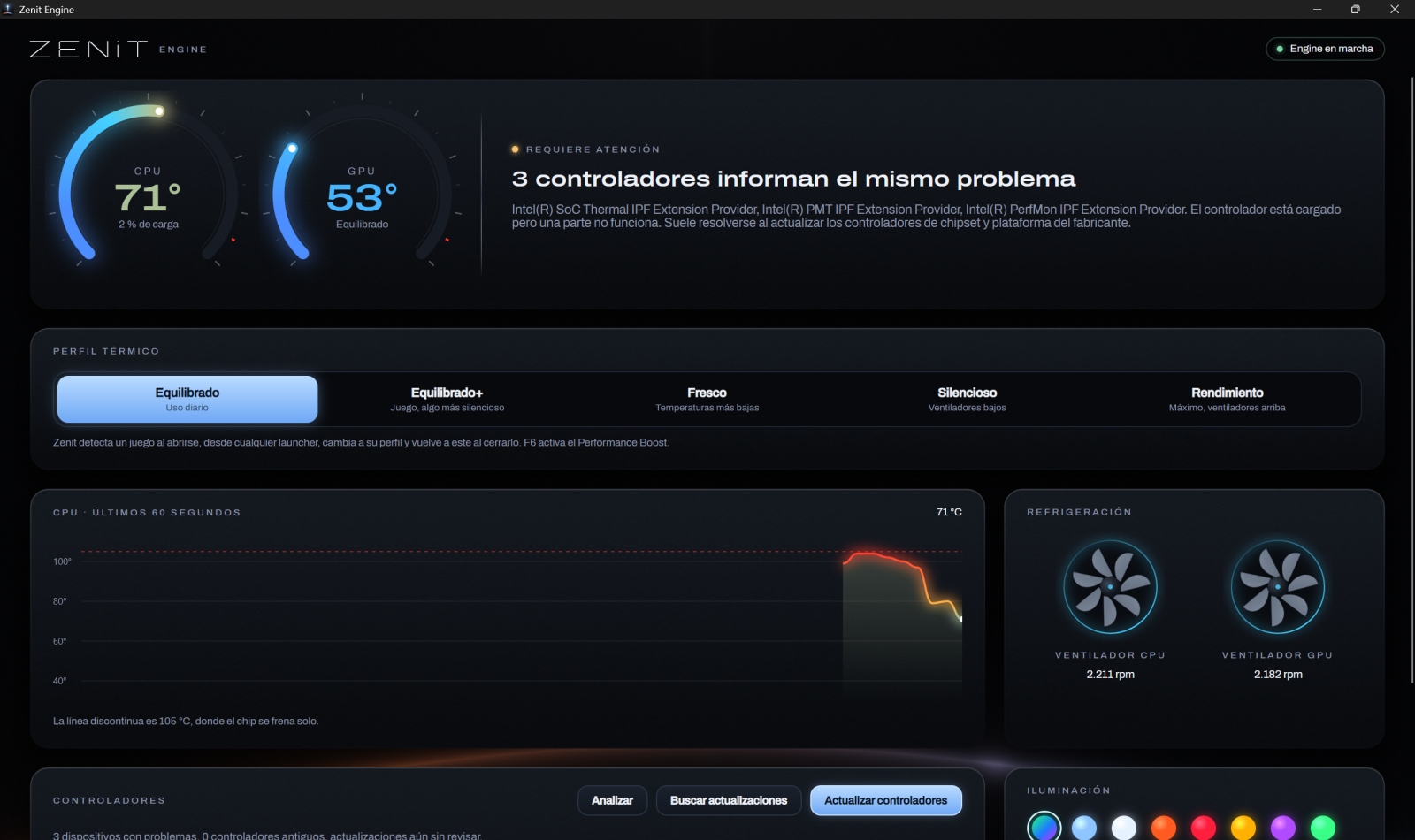
A companion for gaming laptops that reads temperatures, fans and drivers, explains what is wrong in plain words, switches the thermal profile on its own, and replaces the vendor's bloated control center. No ads, no telemetry, official drivers only.
Built from the public repository by GitHub Actions. English and Spanish.
Where it started
Two days at 104 °C, and the maker's app said nothing
My Alienware idled at 100-104 °C with the fans roaring. The cause was a power plan whose minimum processor state was 100 %: the CPU never slowed down. Weeks later it ran hot again, and this time the culprit was Alienware Command Center itself, running a WMI query for every process that started or stopped.
Zenit is what I built to catch that kind of thing: it names the cause, shows the numbers, and fixes what it safely can.
CPU temperature at idle, one minute
Measured on the developer's Alienware 16X Aurora. The first green reading is the laptop still starting up. Your numbers will differ.
What it does
Everything the vendor app did, without the vendor app
Temperatures, explained
CPU and GPU heat dials, fans and the last minute of CPU heat. When something is off, Zenit says what and why, down to the process heating an idle CPU.
Profiles that switch themselves
Performance when a game starts, from any launcher; Balanced+ on the charger, Balanced on battery. Your previous profile comes back when you quit.
Official drivers only
Windows Update's driver catalog and, on Dell and Alienware, Dell's signed catalog for your model. Newer versions only, hashes and signatures checked, restore point first.
Lighting and the F-keys
AlienFX colors, brightness and the Aurora drift, straight over USB. F6 Performance Boost, F7 Stealth and F9 lights keep working, with an on-screen notice.
Light on your laptop
About 97 MB in the tray and nothing animating while hidden. Game detection lists processes every few seconds instead of querying WMI for each one.
Speaks your language
English or Spanish, from your Windows display language. Free and open source under the GPL-3.0: you can read every line it runs.
Field notes
An Alienware, taken apart from the software side
Everything Zenit does on Alienware came from debugging one laptop. The notes show what was measured and how, so you can check it on yours.
The control center that heated the CPU
A new WMI connection and query for every process start and stop: ~180 % of a core, all day.
03The AW-ELC lighting protocol
34-byte HID reports for colors, brightness and the Aurora morph, as documented by alienfx-tools.
04Where F6, F7 and F9 went
The firmware sends them as F17, F20 and F18, keys Windows ignores.
05What each profile really does
Balanced stops the fans; on battery the CPU idles at 49 °C. Measured, not guessed.
What it will never do
- Install drivers from its own mirror. Driver tools that do this have shipped wrong and generic drivers.
- Load a third-party kernel driver. It uses the interfaces your laptop already has, so anti-cheat and Windows security stay happy.
- Show ads, bundle software or send your data anywhere.
- Promise more FPS. It keeps your hardware cool and current; that is where the real gains are.
Laptops
Install
Three steps, one administrator prompt
Download
ZenitSetup.exe from GitHub Releases, with its SHA-256 next to it.
Run it
It installs to Program Files, starts the Engine at sign-in and adds Zenit to the Start menu and the tray.
Open Zenit
It reads your laptop right away. Uninstall any time from Settings > Apps.
Not code-signed yet. SmartScreen may say "Windows protected your PC" (More info > Run anyway). With Smart App Control on, Windows blocks the installer outright; build from source there, with the .NET 10 SDK installed.
git clone https://github.com/bernaljeanp/zenit-engine.git
cd zenit-engine
.\install.ps1
Not on an Alienware?
Tell us your laptop
The next brands are picked by who asks. Leave your laptop and you'll get one email when it's supported, or a test build if you'd like to help.